
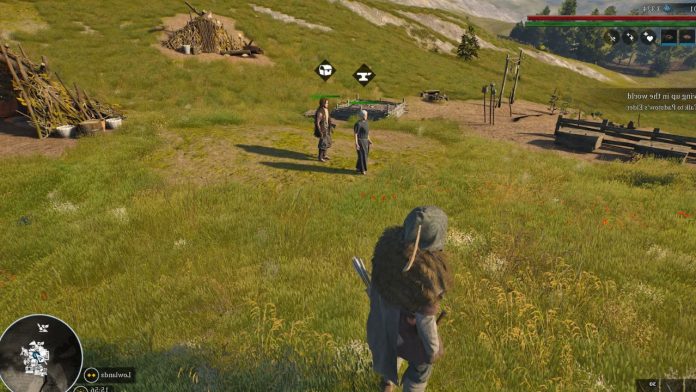
In Bellwright, smart NPCs are key for growth—they gather resources, complete tasks, and keep your settlement running. But when game bugs cause an NPC to get stuck in a river, progress grinds to a halt. If you’ve spotted a villager standing motionless in the water and refusing to eat or move, this guide will help you fix things fast.
There’s no shortcut to a flawless game, especially with a title still evolving. Still, you can learn to spot this issue early, reduce the impact on your workflow, and keep your settlement healthy and productive. Start by understanding what causes these hiccups and what actions you can take right away.
What Causes NPCs to Get Stuck in Bellwright Rivers?
Focus on your NPC work patterns for a second. Most pathfinding bugs around water happen while NPCs collect reeds, fish, or gather by the banks. The game’s pathfinding logic sometimes “forgets” how to help NPCs exit water, leaving them caught mid-task and unable to return to shore.
Think ahead when assigning jobs involving rivers or lakes. Workers fetching reeds or exploring close to water’s edge are most likely to fall into this trap. In practice, this means you could lose a key gatherer just as your food stocks dip low—a classic case of bad timing made worse by a technical quirk.
Tip: Scroll around your map often and watch for NPCs gathering near riverbanks. Early spotting prevents resources from running dry.
Common Symptoms: How to Spot a Stuck NPC
So, what does a stuck NPC look like? The signs are simple. Your worker stops moving, ignores assigned tasks, and stands frozen at the water’s edge or waist-deep in the river. They won’t gather, deliver food, or run errands. As time passes, their hunger meter drops, but they remain unresponsive even as they begin to starve.
Watch for these red flags:
- NPC still in water when the job should be finished.
- The hunger icon ticks down, but the NPC does not seek food.
- The “Move to” or job assignment orders don’t register.
If you catch an NPC in this state, treat it as urgent. Hunger can lead to death surprisingly fast, causing lost efficiency, wasted resources, and frustration for everyone counting on a smooth day’s work.
Immediate Workarounds and Player Solutions
There’s no magic button to fix the river-stuck bug, but you do have smart, service-driven options to get your NPCs back in action before serious harm hits your operation.
1. Direct Player Intervention
Start by making your way to the river and standing next to the stuck NPC. Sometimes, just moving close enough triggers a pathfinding reset—your presence pushes the NPC’s script to recognize they need to get unstuck.
This interaction might look unscientific, but plenty of players report real-world examples where it works. Think of it as a gentle nudge that tells the game: “This person should not be in the water. Let’s fix it.”
Key takeaway: When in doubt, meet your team where they are—sometimes, small, direct action changes the outcome.
2. Role Reset Procedure
Another way is to adjust the stuck NPC’s job role to re-trigger their task logic. Once the NPC is out of the water, open your settlement menu and switch them back to “Worker” (or another default role), then reassign the specific gatherer role.
This step refreshes their behavior, clearing out any “sticky” code that may keep them frozen or unresponsive. Many players find this leads to a nearly immediate return to normal activity.
Tip: Use role reset as a failsafe if simply approaching the NPC doesn’t do the trick.
3. Utilization of the Travel Sign
For settlements with a travel sign, use it to fast-travel near the problem spot. Arriving at the riverbank through the travel sign sometimes triggers the NPC to move again. Fast-travel works similarly to direct presence—it jumps the game logic, giving the NPC a fresh opportunity to “see” a path out of their predicament.
In your gameplay rhythm, make travel sign checks part of your quick-response toolkit. This is particularly handy if your settlement covers a wide area and you spot trouble across the map.
Tracking the Developer Response and Patch History
You may hope for a permanent fix from the development team, and rightfully so. Developers have released several patches in June 2024 targeting NPC pathfinding—especially for issues where characters get stuck running from unseen enemies or during scripted events. These updates make meaningful progress but haven’t stamped out the water-stuck bug completely.
Keep an eye on patch notes, which often announce tweaks to navigation and AI routines. While water-specific pathfinding hasn’t been fully resolved yet, developer forums show ongoing discussion and regular hotfixes.
Balanced disclaimer: Software updates take time and usually roll out in stages. Expect improvements in coming months, but have backup workarounds ready in case pathfinding errors persist.
Managing NPC Wellbeing: Prevent Starvation and Idle Time
While you wait for a more complete fix, shift your operating rhythm to reduce the risk of starvation and productivity loss among your team. Start by reviewing your food supply network and making sure resources are easy for all workers to reach, especially those assigned to high-risk zones like riverbanks.
If you spot a stuck NPC and free them, check their hunger levels immediately. Arrange a food delivery or suspend other duties until their levels rebalance. In practical terms, this could mean keeping a few emergency food rations on hand and knowing where your nearest food sources are at all times.
Real-world example: One player noticed a gatherer stuck mid-river and, after freeing them, saw their hunger meter dangerously low. Acting fast with food saved the worker and production for the week.
Key metric: Review starvation incidents weekly until the bug is resolved. A drop in “starvation saves” means your prevention steps are working.
Summary Table: Common Issues, Causes, and Quick Fixes
| Problem | Cause/Location | Symptom | Workaround/Tip |
|---|---|---|---|
| NPC stuck in river/lake | Pathfinding bug | Does not move, starves | Approach NPC or use travel sign |
| NPC won’t leave water | Riverbank/water | Frozen, unresponsive | Reset their role after extraction |
| Stuck while fleeing/idle | Rivers, tight spots | Not working or running | Apply latest patch, watch for updates |
Tip: Print or save this table for quick access during your gameplay week. Fast reference keeps your progress smooth.
Smart Strategies for Ongoing NPC Management
There’s no single tool that “fixes” stuck NPCs for good—yet. So, put prevention first. Assign risky jobs to experienced or easily observed workers and rotate assignments to minimize solo time by rivers. Schedule regular headcounts and visually check at the start and end of each session.
Another way is to build walkways or remove unnecessary tasks near dangerous paths until confidence in the pathfinding improves. Use these tactical moves to strengthen your resilience and limit surprises from recurring bugs.
Did you know? Community forums continue to collect new player-submitted fixes and custom mods for the stuck-NPC problem. As the game develops, peer-tested advice can be a lifeline. For links to evolving advice and practical updates, check trusted resources like BizRiseUp—they often share actionable community solutions alongside official patch news.
Looking Forward: Monitor, Adapt, and Support
This pathfinding challenge can feel frustrating, but it’s a temporary hurdle in the bigger goal of settlement growth. For now, focus on hands-on recovery, team nutrition, and smart risk management. Track each fix that works, and share feedback—developers rely on user reports to sharpen future updates and patches.
Don’t forget to review the game’s official channels every patch day. Follow discussions on forums or social media for tips just discovered by other players. There’s no shortcut to patience here, but each small step keeps your village running and your team ready for tomorrow’s growth.
Further Resources for Bellwright NPC Issues
Start with the game’s own patch notes, which deliver the clearest view of bug priorities and recent fixes. Second, explore community hubs for troubleshooting threads, where crowdsourced solutions appear before official fixes.
Tip: Don’t be shy about posting your own workaround if you find something new that resolves the issue. One player’s solution often helps dozens more.
Focus on short, regional check-ins across your map, make team wellbeing a routine audit, and keep your resource lines open. With a structured, real-world approach, the stuck NPC in Bellwright’s rivers becomes a manageable hiccup rather than a blocking crisis.
Key takeaway: Tackle each bug as it comes, monitor for better fixes, and support your team with prevention and recovery first. Small wins today lay the groundwork for tomorrow’s smoother, smarter settlement management. Stay steady, stay watchful, and watch your village thrive, one well-timed fix at a time.
Also Read: