
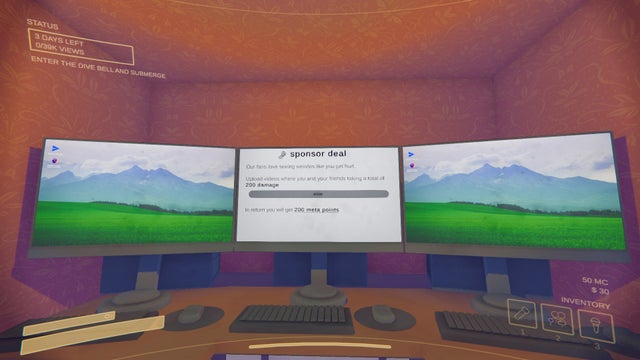
If you play “Content Warning,” you’ve probably noticed MC—or MetaCoins—show up in your game wallet. MC is the game’s virtual currency, and you’ll need it to unlock cosmetic upgrades for your character. While it doesn’t impact core gameplay, MC lets you customize your look, stand out in lobbies, and experiment with different styles. That means more options for expressing yourself—even if you’re just trying to be the scariest (or silliest) person on SpookTube.
Think of MC as your reward for grabbing attention. There’s no shortcut to building a great channel, but you can earn plenty of MetaCoins by working smart—or use more technical methods. Here’s how each approach works, what you’ll need, and the tradeoffs to consider.
Getting MC the Intended Way: Normal Gameplay
Start with the basics. The game developers want you to earn MC by filming strange, funny, or frightening footage and uploading it to SpookTube, the in-game video platform. Focus on this natural flow first before you consider shortcuts. It offers a good sense of accomplishment and risk-free progression.
Each time you upload a video, SpookTube calculates how entertaining your content is and converts that into “views” and ad revenue. The better your footage—the more drama, humor, or scares—the more MC you’re rewarded. These aren’t just vanity points: MC buys cosmetic gear ranging from unique hats to outlandish costumes.
Tip: Focus on learning what your in-game audience reacts to. For example, editing your clips to highlight unexpected monster encounters can yield more views and MC per session compared to simple walk-throughs. Try different strategies and track your results. Over time, you’ll notice patterns in what drives the biggest payoffs.
There’s no real risk with this approach. Think about it as earning your keep while improving your skills. Set personal MC targets per session—a small, steady lift adds up.
2. Editing Your Save File: Manual, Fast, and Technical
If you want MC fast and don’t mind a little tinkering, editing your save file is a direct path. This route is perfect for players familiar with basic file systems and editing tools like Notepad. You’re not hacking the game; you’re simply changing a number in your own save file.
Here’s a safe, step-by-step workflow:
1. Press Windows + R.
2. Type %AppData% and press Enter.
3. Navigate to LocalLow > Landfall Games > Content Warning > Saves.
4. Find your save file (often named “savefile.json” or similar).
5. Right-click and open the file with Notepad.
6. Search for the line containing MetaCoins.
7. Change its value to whatever amount you want.
8. Save the file and close Notepad.
9. Start the game and check your MC balance.
Anyone comfortable backing up and restoring files can do this in about five minutes. This only affects cosmetics, so it’s a low-risk move that won’t break the core gameplay or online features.
Keep in mind: Save editing won’t make the game more fun or improve your skills, but it can give you costume flexibility faster than grinding. Also, check your game folder regularly—game updates can overwrite or reset edited files. If that happens, just repeat the process.
Tip: Back up your original save file. If something goes wrong, restoring the backup avoids data loss or accidental corruption.
Using Mods for Unlimited MC: Fast and Flexible, but Understand the Tradeoffs
Another way is to use mods from trusted sources like AzzaMods or Thunderstore, along with a mod manager such as Thunderstore Mod Manager. Modding can unlock unlimited MC almost instantly and offer more in-game flexibility. For many, this is the easiest non-technical option—especially for those who prefer not to edit files manually.
Here’s a practical workflow for getting started with mods:
1. Download a mod manager like Thunderstore Mod Manager.
2. Install BepInEx or a similar modding framework if prompted.
3. Search for and install a “Give MetaCoins” mod (try AzzaMods or Thunderstore’s Content Warning page).
4. Open Content Warning via the mod manager.
5. Use the mod interface (often a menu or keybind) to set your desired MC balance.
Most mods have on-screen instructions. Some offer a configuration menu; others use hotkeys. Choose mods with high ratings and frequent updates. If you’re unsure, consult the mod’s documentation or look up short setup videos online.
Did you know? Mods often let you tweak lots of features beyond just MC. While it’s smart to start simple, you may discover other quality-of-life upgrades.
Think ahead: Be careful with mods during game updates. Mods that worked yesterday may become incompatible after a major patch. It’s smart to disable mods, check forums for compatibility reports, and wait for mod developers to update their code.
Risks and Considerations: Balance Speed Against Stability
No method is totally without risk—especially if you go beyond normal gameplay. Editing files or adding mods always invites the chance of unexpected crashes, corrupted saves, or lost progress after updates. While both save editing and MC mods are generally safe for this game, proceed carefully.
Here’s what savvy players do:
- Always back up your save files before editing or modding.
- Check community forums for mod compatibility after major updates.
- Use mods from established sources, and avoid downloading anything suspicious or badly reviewed.
- Limit changes to cosmetics if you care about a level playing field—MC doesn’t provide gameplay advantages, so focus on the visual fun.
Key takeaway: The more control you add, the more you’re responsible for troubleshooting. Balance your appetite for quick results with your need for stable play sessions.
Comparison Table: Which Method Fits Your Play Style?
Let’s make this even clearer with a simple comparison. Use this table to judge which method lines up best with your goals, skills, and risk tolerance:
| Method | MC Gain | Difficulty | Risk | What You Need |
|---|---|---|---|---|
| Normal Gameplay | Gradual | Low | None | Play the game |
| Save File Editing | Unlimited | Moderate | Low-Medium | Access to save files |
| Using Mods | Unlimited | Low-Medium | Medium | Mod manager & mods |
Consider the balance between simplicity and control. For example, if you’re risk-averse and prefer not to troubleshoot, stick to gameplay. If you want instant results and are willing to manage occasional hiccups, mods or save editing may suit you.
Tip: Start with normal gameplay to get familiar with the earning system. If you get curious about fast cosmetics, experiment with save edits or mods on a backup account.
For more comparisons of practical tech solutions for games and business, consider browsing helpful articles at Bizriseup. You’ll find practical insights tailored for those who like a measured, risk-aware approach to digital projects.
Final Thoughts: Choose Wisely, Move Steadily
There’s no universal shortcut to a customized avatar in Content Warning—but you have options, and each has its benefits and downsides. Playing the game the way it’s meant to be played often leads to the richest experience (and fewer headaches). Focus on gradually improving both your footage and your MC earnings. You’ll learn more, improve your skills, and build a memorable account.
If time is tight or you want to skip the grind, the file editing and modding routes are both workable—just keep your eyes open to possible problems. Always use backups and check for mod compatibility as updates roll out.
Key takeaway: Steady, incremental progress beats hacked shortcuts every time—unless your fun comes from experimenting. Whatever approach you choose, do so responsibly. Value your time, prioritize personal enjoyment, and respect the developers’ intentions and the player community.
If you use save file hacks or mods, remember they mostly change visuals. You won’t gain a “pay-to-win” edge, and the main reward is freedom to experiment with looks.
So, balance your curiosity with caution. Focus on one method, track your own satisfaction, and adjust if needed. The most effective players know when to optimize—and when to enjoy steady, genuine growth. That’s as true in business as it is in games.
Also Read: